LinkedIn Headshots That Get 3× More Profile Views
Get the profile photo recruiters actually click. Studio-quality headshots, generated in minutes, optimized for the exact framing LinkedIn rewards.
20 headshots · Ready in 2 minutes · Money-back guarantee




Why linkedin professionals professionals choose AI headshots
Studio quality at a fraction of the cost — purpose-built for your field.
Built for the LinkedIn algorithm
LinkedIn's ranking favors clear, well-lit, front-facing headshots. Every image our AI generates is framed to the exact specs the platform rewards — square crop, face roughly 60% of frame, neutral background, sharp focus on the eyes.
Save $500 and a week of coordination
A studio session for LinkedIn runs $300-$500, takes two weeks to book, and you walk out with 5 edited shots. We deliver 20 studio-quality variations in 2 minutes for $19. Same result, 25× cheaper.
Look like you — on your best day
Our AI preserves your actual face structure, skin tone and proportions. It doesn't invent a stranger. You look recognizable to colleagues, just lit and framed like a high-end photographer was in the room.
Commercial rights, instantly
Full ownership of your 20 headshots. Use them on LinkedIn, company about pages, press kits, conference bios — anywhere. No watermarks, no licensing fine print, no per-use fees.
LinkedIn Professionals headshots generated by our AI
Every image below was generated from a single selfie — never photographed.


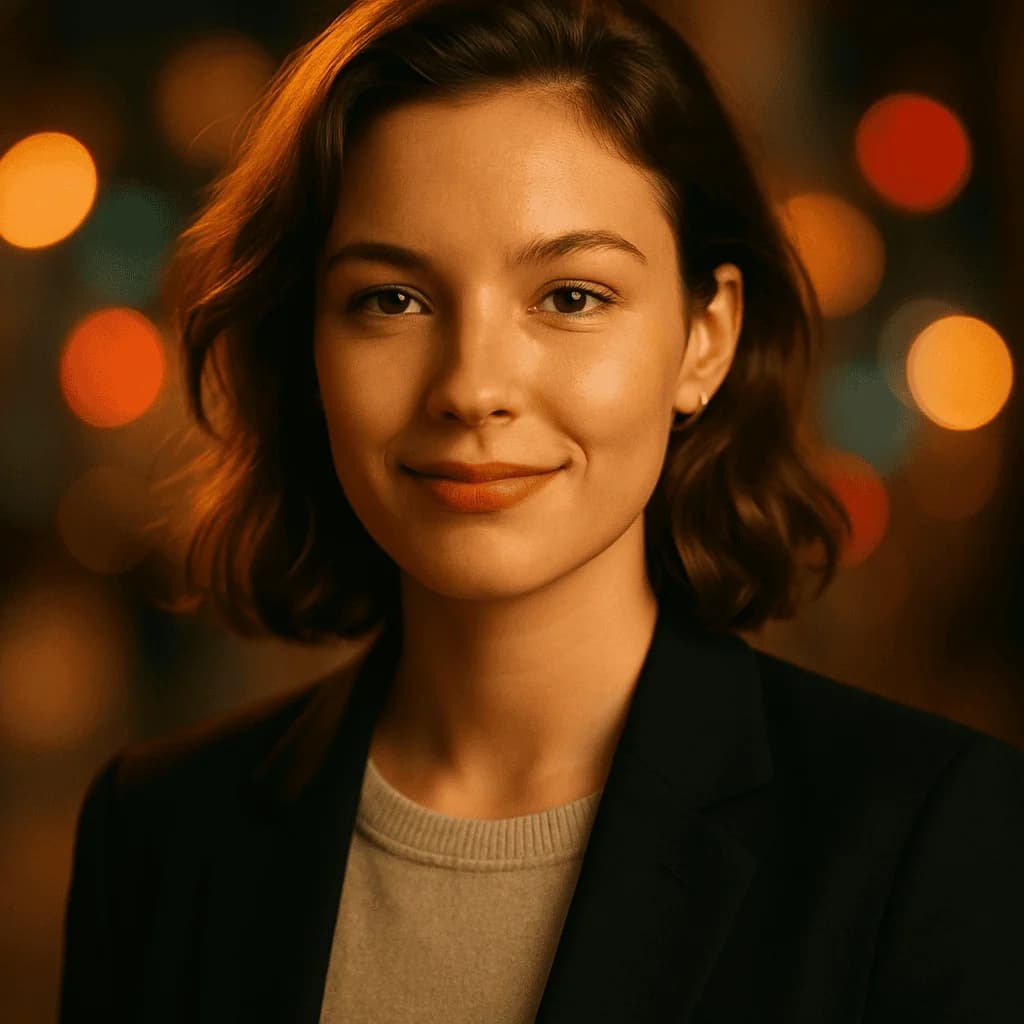
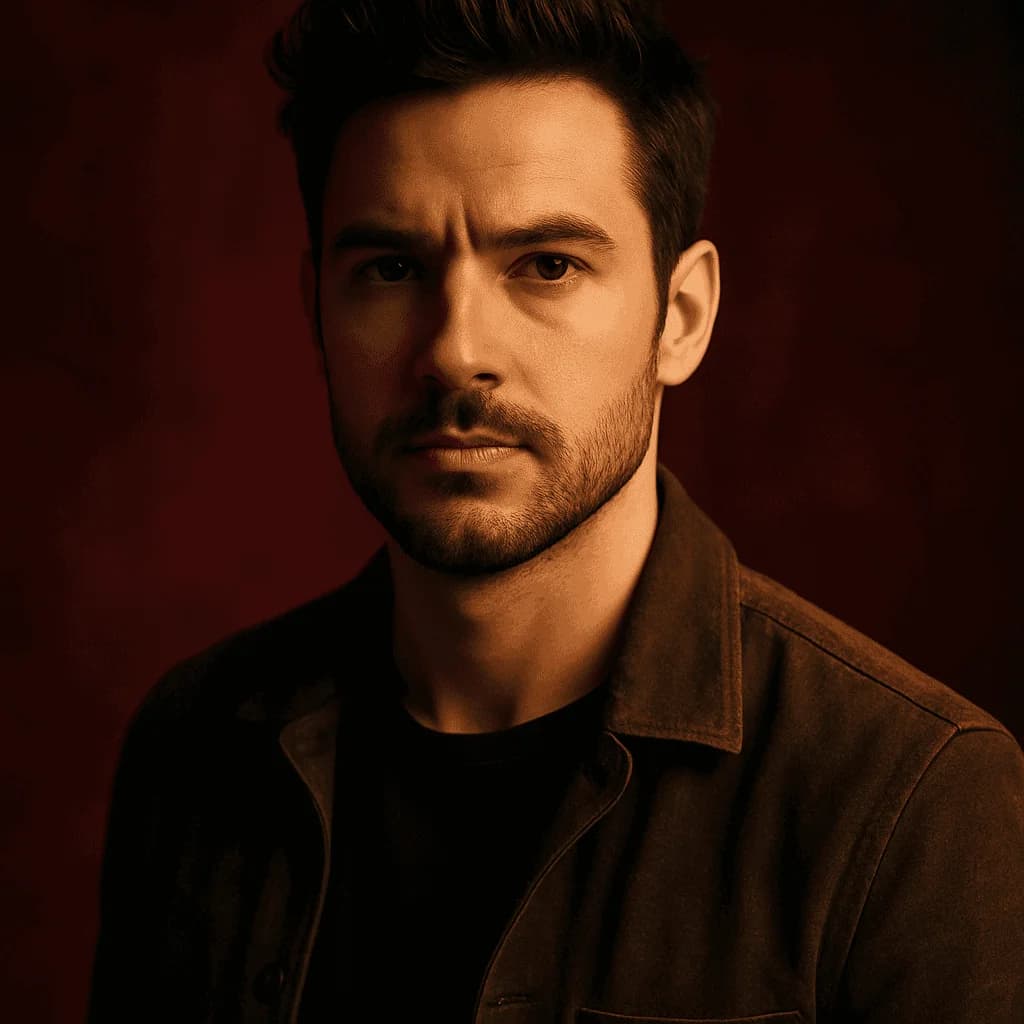
Your LinkedIn headshot is your handshake.
Recruiters decide in less than a second whether to click your profile — and that decision is driven almost entirely by your photo. Before they read your title, before they scan your experience, they've already formed an impression from your face, your framing, and the lighting. A bad headshot costs you interviews, leads, and inbound DMs you'll never see. A great one compounds silently every week.
Why your LinkedIn headshot is the most valuable piece of real estate on your profile
LinkedIn's own data teams have published studies showing that profiles with professional-quality headshots receive up to 14× more views and up to 36× more messages than profiles without one — or with a low-quality one. That gap isn't because recruiters are shallow. It's because photo quality is the fastest proxy humans have for "this person takes their work seriously." If you're curious how LinkedIn's platform specs shape which photos perform, our LinkedIn photo size requirements guide breaks down the exact pixel targets.
When a recruiter scrolls through a Recruiter search result, they see your face at about 48×48 pixels. Most of the signal has to survive at that size. That's why low-light selfies, busy backgrounds, and group-photo crops fail so badly — the cues that made them acceptable on Instagram disappear at thumbnail scale.
What makes a great LinkedIn headshot
A headshot that outperforms on LinkedIn has four traits. First, sharp eyes — the single most predictive element. Eyes in focus, looking at camera, with catch-lights. Second, front-to-three-quarters angle — a slight turn of the shoulder looks natural; a full profile does not. Third, neutral background — studio gray, soft gradient, or blurred neutral. No bookshelf, no office chaos, no beach. Fourth, warm neutral expression — closed-mouth smile or slight open smile, relaxed jaw, engaged eyes. The "confident colleague you'd trust with a deliverable" expression.
Our Corporate style bakes all four of these into every generation. You don't need to know lighting ratios or 85mm equivalents. You upload a clear selfie, and the AI handles the rest.
AI vs. traditional studio for LinkedIn professionals
Ten years ago, the gap between a $500 studio session and a phone selfie was unbridgeable. That gap is gone. Today, the best AI headshot generators produce output that recruiters and hiring managers genuinely cannot distinguish from a Midtown Manhattan studio shoot.
The math is also hard to argue with:
- Studio session: $300-$500, 2-4 hours of your time including travel, 1-2 weeks for delivery, 5-10 final edits.
- AI generation: $19, 2 minutes of your time, 20 final images, delivered to your inbox.
The only remaining argument for the studio route is "I want the hands-on experience." For the 95% of professionals who just want a better profile photo by tomorrow morning, AI wins on every axis — cost, speed, volume, consistency. If you're still on the fence, the AI headshot vs. photographer breakdown walks through the tradeoffs at every price point.
The LinkedIn-specific advantage of 20 headshots
A single studio photographer gives you one look. Our pack gives you twenty. That matters more than it sounds for LinkedIn specifically, because your profile isn't static. You'll want:
- A corporate look for your main profile.
- A slightly warmer variant for connection requests and InMail.
- A matching variant for your company website team page.
- A different crop for your email signature.
- A banner companion shot that complements your cover image.
Twenty variations give you a single visual identity you can deploy everywhere without running another session every six months. For senior roles specifically, pairing the pack with a polished executive headshot treatment or a stage-calibrated startup founder variation covers every public-facing surface you'll touch.
How to pick the best shot from your 20
Once your pack arrives, run them through this quick filter in order:
- Eyes sharp and looking at camera? Discard anything where focus drifted.
- Expression warm-neutral? Discard over-smiles, over-serious, or tense-jaw shots.
- Background consistent? Pick the 5 with the cleanest background.
- Posture open? Shoulders slightly turned, not hunched.
- Wardrobe reads well at thumbnail size? Solid colors beat patterns at 48px.
Then pick one winner and two backups. Use the winner everywhere — LinkedIn, website, Slack, signature, conference bios. Consistency builds recognition.
Common LinkedIn headshot mistakes we see every day
The biggest killer is using a cropped photo from a non-work context. Wedding photos, vacation selfies, and group shots all signal "I haven't updated my profile in 5 years." Even if the photo is technically good quality, the lighting and expression don't match a professional context — and that mismatch is visible to every recruiter who scrolls past.
The second killer is background noise. A photo taken in your living room with a TV in the background reads as low-effort. A photo taken in front of a plain wall reads as deliberate. Plain wins every time.
The third killer is over-editing. Skin smoothing, face-slimming, or aggressive brightening all backfire on LinkedIn. The platform's audience is wired to detect manipulation because it's full of salespeople and recruiters — trained pattern-matchers. A headshot that preserves your actual features lands better than one that optimizes them to the point of uncanny.
How to use your 20 headshots across LinkedIn
- Profile photo: your single best shot.
- LinkedIn banner: pair a secondary variant with a clean text banner for brand consistency.
- Featured section: use a slightly different crop if you pin personal content.
- LinkedIn newsletter avatar: same headshot, reinforces identity across touchpoints.
- Sales Navigator saved lists: your photo shows up when prospects preview your list.
- Recommendations you write: your photo reinforces your endorsement for the recipient.
Beyond LinkedIn, deploy the same pack to your email signature, calendar invite avatar, Slack profile, GitHub, Twitter/X, and internal company directory. The goal is one face, everywhere. To finish the signature polish, try our free email signature generator — it pairs with your new headshot in under a minute.
The LinkedIn headshot checklist
Before you upload your new headshot, verify:
- Square crop, face takes ~60% of frame.
- 1024×1024 minimum resolution.
- Neutral background — no office clutter.
- Solid-color wardrobe, no busy patterns.
- Eyes sharp, looking at camera.
- Closed-mouth or slight-open-mouth smile.
- Consistent with your banner image.
- Matches the tone of your headline and summary.
If you hit all eight, you've already beaten 80% of the profiles in your industry.
Your LinkedIn Professionals headshots are 2 minutes away.
20 headshots. 2 minutes. $19 one-time.
Generate My Headshots — $19From selfie to studio in 2 minutes
1. Upload a selfie
One clear, well-lit selfie is all we need. We validate face, lighting and resolution instantly.
2. Pick your style
Corporate, Startup, Creative or Casual Pro. We recommend one best suited to your profession.
3. Get 20 headshots
Our AI generates 20 variations in under 2 minutes. Download the ZIP or pick individual shots.
What to wear — LinkedIn Professionals headshots
- Solid-color top — navy, charcoal, or forest green photograph best on LinkedIn thumbnails
- Avoid logos, slogans or busy patterns — they age the photo and distract at small sizes
- Blazer over shirt for senior roles; smart knit or button-down for IC roles
- Minimal jewelry — one small necklace or simple studs maximum
- Natural makeup if you wear it — LinkedIn isn't a glamour shot
- Groomed hair, off the face — obscured jawlines read as low-effort at thumbnail size
- Avoid pure white tops — they blow out against a neutral background
Common mistakes in LinkedIn Professionals headshots
What to avoid so your AI-generated shots don't scream "taken with a webcam in 2017".
Using a cropped wedding or vacation photo
Recruiters detect this in half a second. Lighting, expression and framing all signal 'casual' — and LinkedIn's own data shows these profiles get roughly 40% fewer clicks than purpose-made headshots.
Over-smiling
A warm neutral — slight smile, relaxed eyes — outperforms a full teeth-baring grin in every LinkedIn profile view study. Aim for 'approachable competent', not 'enthusiastic yearbook'.
Busy or distracting background
Office backgrounds look cluttered at thumbnail size. Studio gray, soft gradient, or blurred neutral work every time. Our AI handles this automatically so you don't have to shoot against a wall.
Filtered or heavily retouched selfies
Skin smoothing and beauty filters are visible to a trained eye — and recruiters have trained eyes. AI that preserves your actual features beats a filter that erases them.
LinkedIn Professionals headshots — questions answered
Will an AI-generated headshot look obvious on LinkedIn?+
No. Modern AI headshots are indistinguishable from studio shots at LinkedIn thumbnail size — and still hold up on a full profile view. Thousands of professionals already use AI headshots on LinkedIn with no visible flag on the Recruiter side.
Is LinkedIn okay with AI-generated profile photos?+
Yes. LinkedIn's policy requires the photo to be of you — which AI headshots are, since they're generated from your own selfie and preserve your identity. Using someone else's photo is the violation, not AI generation.
How fast will I get my LinkedIn headshots?+
Under 2 minutes from payment. You'll get 20 variations via email — pick your favorite and upload to LinkedIn immediately.
What resolution are these for LinkedIn?+
1024×1024 — LinkedIn's recommended profile photo resolution. Crisp at both thumbnail and full-view size, with headroom for retina displays.
Can I use the same headshot across LinkedIn, my website and my email signature?+
Yes — you own full commercial rights. A consistent headshot across platforms compounds brand recognition and helps recruiters recognize you in a crowded inbox.
What if none of the 20 shots look right for LinkedIn?+
We regenerate for free, or refund within 7 days. Most LinkedIn users pick 1-2 from the 20 as their go-to across platforms.
Is my selfie uploaded securely?+
256-bit SSL encryption in transit, encrypted at rest, auto-deleted after 30 days. We never train on user photos.
Can I get different styles in one pack?+
Each $19 pack is one style × 20 variations. If you want both corporate and startup looks, run two orders — still under $40 total.
Do these work for senior / executive LinkedIn profiles?+
Yes. Choose the Corporate style for C-suite and director-level profiles. The lighting and wardrobe cues map to executive expectations on LinkedIn.
Ready for your LinkedIn Professionals headshots?
20 headshots. 2 minutes. $19 one-time.
Generate My Headshots — $19